

Summary
Small habits like double-sided printing and thinking before you hit print can cut paper waste fast, and so can bigger shifts like moving archives, notes, and correspondence online. We’ve put together eleven practical ways to save paper at the office, including reducing label usage, setting up direct deposit, choosing recycled paper, and switching from paper faxes to online faxing. Together, these changes cut costs, save time, and reduce environmental impact without asking employees to overhaul how they work.
| Time to Read | ~6 minutes |
|---|---|
| What You’ll Learn |
|
| Next Steps |
|
Environmental conservation is a growing focus at home and at work. Many of us recycle, switch to energy-efficient bulbs, and cut back on plastic in our daily lives. But paper habits often get less attention, even though offices still use and waste a lot of it.
Despite advances in technology, plenty of companies still rely on paper more than they need to. Here are 11 simple ways to cut paper use at the office, whether you’re an employer setting policy or an employee building better habits. Many of these swaps take less time to set up than you’d expect, especially switching to a digital fax service.
1. Think Before You Print
Environmental conservation is a growing focus for a lot of people, both at home and at work. Many of us already recycle, have switched to energy-efficient bulbs, and cut back on plastic in our daily lives. But paper habits often get less attention, even though offices still use and waste a ton of it.
Despite advances in technology, plenty of companies still rely on paper more than they need to. Here are 11 simple ways to cut paper use at the office, whether you’re an employer setting policy or an employee building better habits.
Pro tip: If you do print, only print the pages you need. Selective printing is one of the easiest ways to cut paper use in any office.
2. Use Collaboration Apps
Many paper-based tasks can now be handled with software instead. Slack keeps team communication and file sharing in one place. Asana organizes projects and collaboration digitally. Google Docs lets multiple people edit documents and spreadsheets without printing a single page.
Finding the right apps for your office is a real step toward a paperless, more efficient workplace, not just a paper-saving one.
3. Print on Both Sides
Most printers default to single-sided printing, but double-sided printing is usually just a setting away. It’s not the right call for every document (some things need to stay one-sided), but for internal files, it’s an easy way to cut paper use.
Write down clear double-sided printing guidelines for your team, covering which documents should print on one side and which can use both. It’s a small change, but it adds up over time.
4. Set Up Direct Deposit
Paychecks are paper too. Offering direct deposit saves employees a trip to the bank, along with the paper, ink, and postage that come with printed checks. Digital payroll is also faster to process and easier to track for everyone involved.
Most payroll platforms make switching to direct deposit simple, and employees seem to prefer it since their funds land in their bank account without having to make a trip to the bank. If your office still cuts physical paychecks by default, you might want to think about switching to direct deposit instead, and saving paper checks only for when someone specifically requests one.
5. Reduce Label Usage
Mailing labels use paper twice: once for the label itself, and again for the sheet it’s printed from. Printing addresses directly on envelopes cuts that waste, and the same goes for stamps.
If you don’t need to send something by mail, send it by email instead. There are still some things that have to be mailed, including certain legal filings and government forms, but for regular business correspondence, email is often all you need.
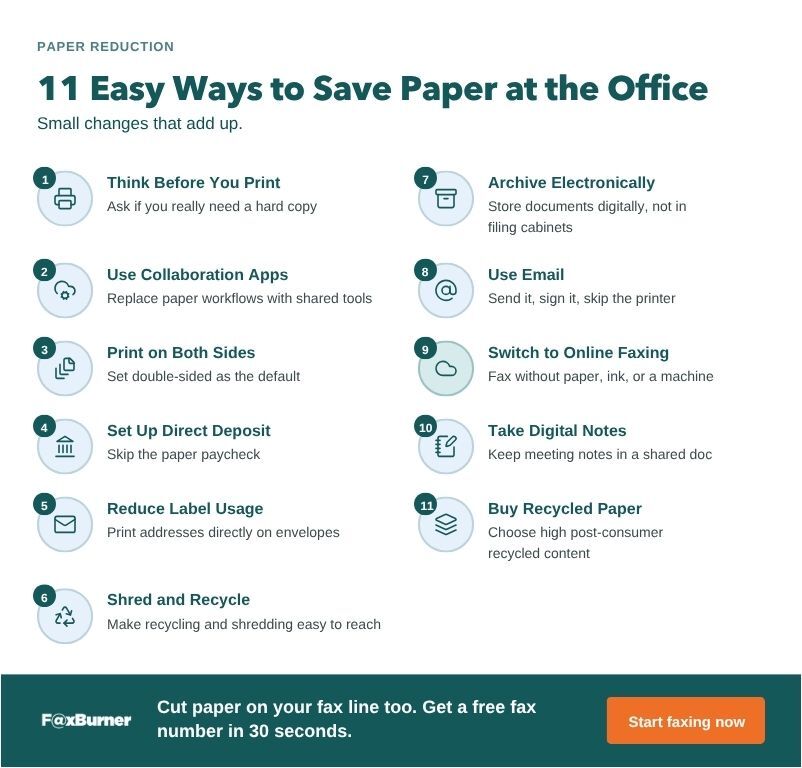
6. Shred and Recycle
Some paper waste is unavoidable, so make it easy for your team to recycle what they can’t avoid producing. An easy way to do this is to keep recycling bins near printers and copiers, and use shredders for anything too sensitive to toss in with regular recycling.
Reusing scrap paper for internal notes is another easy habit worth encouraging.
Add a simple checklist near the shredder so people don’t have to guess what needs to be destroyed versus what can go straight into recycling. Shred financial records, contracts, and anything with personal information, while general printouts and drafts can skip that step entirely.
Related Reading:
- How to Send Fax Documents From Your Computer (and Online) Without a Fax Machine
- How Do I Send a Fax From My Printer?
- The Role of Fax in the Legal Industry
7. Archive Electronically
Filing cabinets aren’t the only way to store documents, and if you’ve ever had to search through one (or several), you already know that they’re not the easiest to search either. Cloud storage, shared drives, and other digital archiving tools reduce paper use and make files easier to find later. If you go digital for storage, make sure backups and access controls are part of the plan.
A shared drive or cloud folder also makes it easier to control who can see or edit sensitive files, something a locked filing cabinet can only manage one key at a time. Look for tools with built-in version history, so you can see who changed a document and roll it back if you need to.
8. Use Email
Email is still one of the fastest, most reliable ways to reach employees, clients, and vendors without printing anything. It’s quicker than traditional mail, and there’s no risk of a document getting lost in transit.
Email isn’t only for routine correspondence, either. Contracts, approvals, and forms can often be sent out for an electronic signature instead of being printed and passed around. Once they’re signed, you get the completed copy back by email, so there’s no paper copy to file.
9. Switch to Online Faxing
If your office still faxes, online faxing is one way to reduce the amount of paper involved. FaxBurner lets you send and receive faxes from a phone or computer, so you don’t need a fax machine, ink, or paper. Incoming and outgoing faxes are stored online, and you can also have copies sent to your email. That gives you a digital copy of the fax without having to print one.
A free plan is available if you want to try it out.
10. Take Digital Notes
Meetings usually mean an agenda and notes, and handing out paper copies to every attendee adds up fast. Send the agenda by email and take notes in a shared doc instead. Recording the meeting and creating a digital transcript afterward works too, and it means nobody has to scribble notes by hand.
A shared doc also means everyone works from the same version of the notes instead of comparing scribbles after the fact, and action items are easy to search for later instead of buried in a notebook somewhere.
11. Buy Recycled Paper
For the paper you can’t avoid using, recycled paper performs the same as virgin paper in most printers and copiers, without the same environmental cost. Paper made from organic cotton or hemp is worth considering for offices that want to go a step further.
Look for paper with a high percentage of post-consumer recycled content. Around 30% or more is a good place to start. Recycled paper is often priced similarly to standard paper, so it’s a fairly simple switch if you’re looking to reduce the amount of virgin paper your office uses.
Ways to Save Paper Quick Reference Table
| Method | Effort to Implement | Paper Impact |
|---|---|---|
| Think Before You Print | Low | Ongoing, per print job |
| Use Collaboration Apps | Medium | High |
| Print on Both Sides | Low | Moderate |
| Set Up Direct Deposit | Low | Moderate (mailing only) |
| Reduce Label Usage | Low | Low to moderate |
| Shred and Recycle | Low | Reduces waste, not usage |
| Archive Electronically | Medium | High |
| Use Email | Low | High |
| Switch to Online Faxing | Low | High |
| Take Digital Notes | Low | Moderate |
| Buy Recycled Paper | Low | Indirect (cuts virgin paper use) |
Bringing It All Together
Cutting paper waste at the office rarely comes down to one big change. It’s more often a handful of small ones: printing less, storing files digitally, and choosing tools that don’t rely on paper in the first place.
Some of these changes are about switching tools, like moving communication and archiving to digital platforms. Others are about building new habits, like printing selectively or recycling what you can’t avoid using. Either way, they add up for your office and for the environment.
For more ways to cut paper clutter beyond the office, see our guide to simplifying home paperwork.
